Import
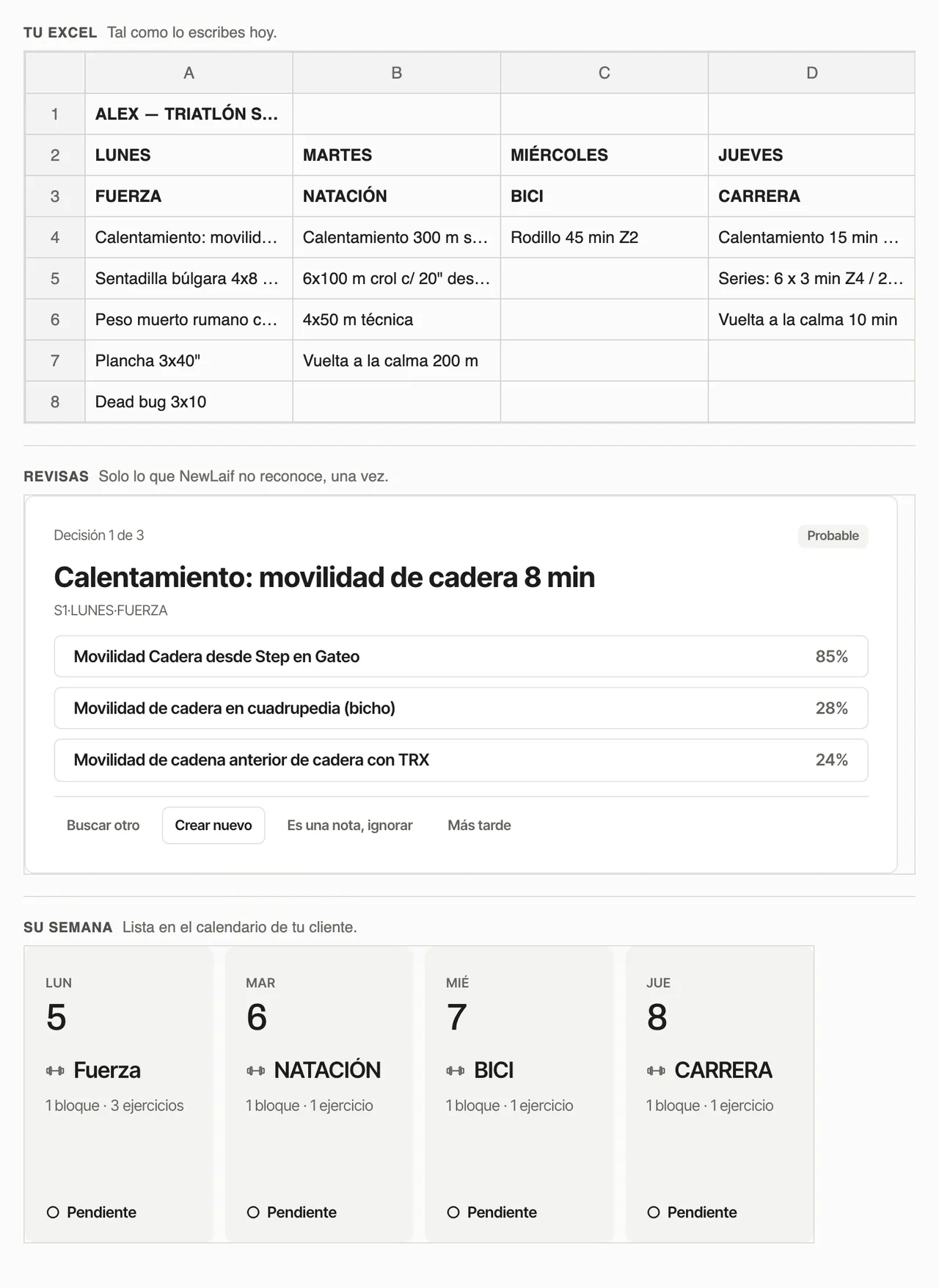
Upload the Excel or PDF you already use, or paste the text. SERAC recognises weeks, days, blocks and prescriptions; you confirm what it doesn't recognise and it becomes a program, weeks or sessions.
How it works
- UploadYour Excel (.xlsx), a text-based PDF or pasted text, exactly as you use it today.
- ReviewSERAC recognises the structure and the exercises. You confirm uncertain names once; the decision applies to the whole document.
- AssignChoose where it goes: a new program, a client's calendar with its dates, weeks of an existing program, your library or just the exercises.
Supported today
- Excel (.xlsx), with no fixed template.
- Text-based PDF (exported from Excel, Sheets or Word).
- Pasted text, for example from WhatsApp.
Not supported yet
- Old .xls files: save as .xlsx first.
- CSV.
- Scanned PDFs and photos.
Previous history
An old plan can be kept as the client's private history: it stays separate from their planning and never counts as a completed or missed session.
Import questions
What can I import?
Excel (.xlsx), text-based PDF and pasted text. SERAC recognises weeks, days, blocks and prescriptions; you confirm uncertain names once and the rest is built as a program, weeks or sessions.
What can't be imported yet?
Old .xls files (save them as .xlsx), CSV, scanned PDFs and photos.
Can I keep a client's previous history?
Yes, as the client's private history: it stays separate from their planning and never counts as a completed or missed session.
Can I use my own exercises and videos?
Yes, private to you and your clients. You also get the SERAC catalogue and content you can copy into your library.